https://code.visualstudio.com/docs/python/tutorial-django#_use-a-template-to-render-a-page
通过模板渲染页面 HTML文件
实现步骤
1, 修改代码,hello的App名字增加到installed_apps表中。
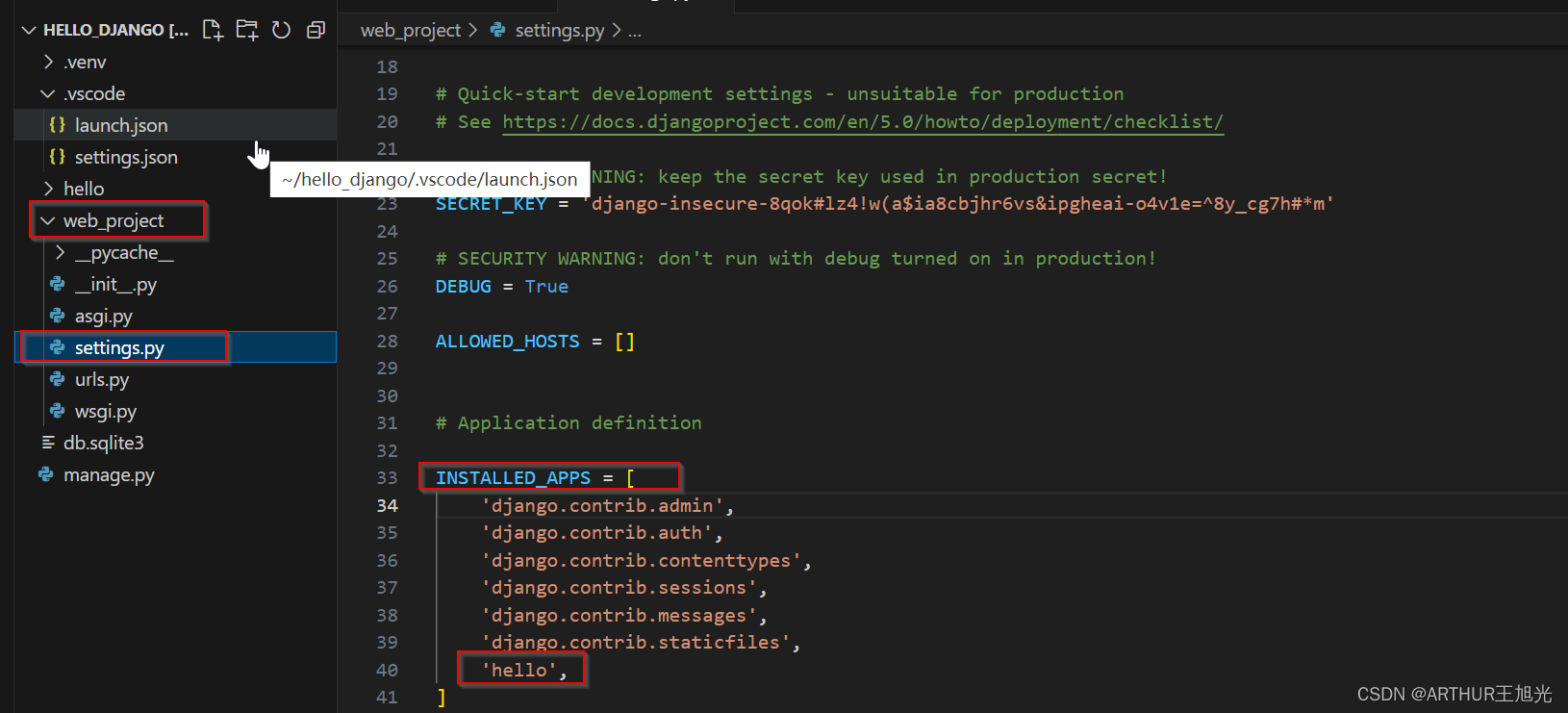
2, hello子目录下,创建 .\templates\hello的子目录。
3,在templates\hello目录下创建 hello_there.html文件。
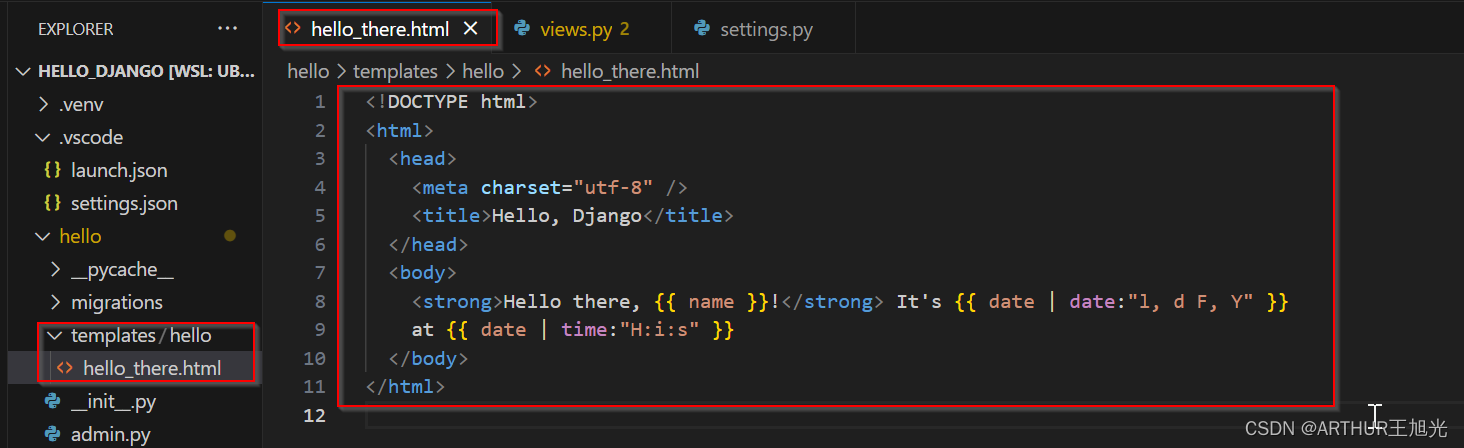
该文件中包含了两个占位符,name和date。这样程序只需要传递name和date两个数值就可以。
4, 修改view.py文件
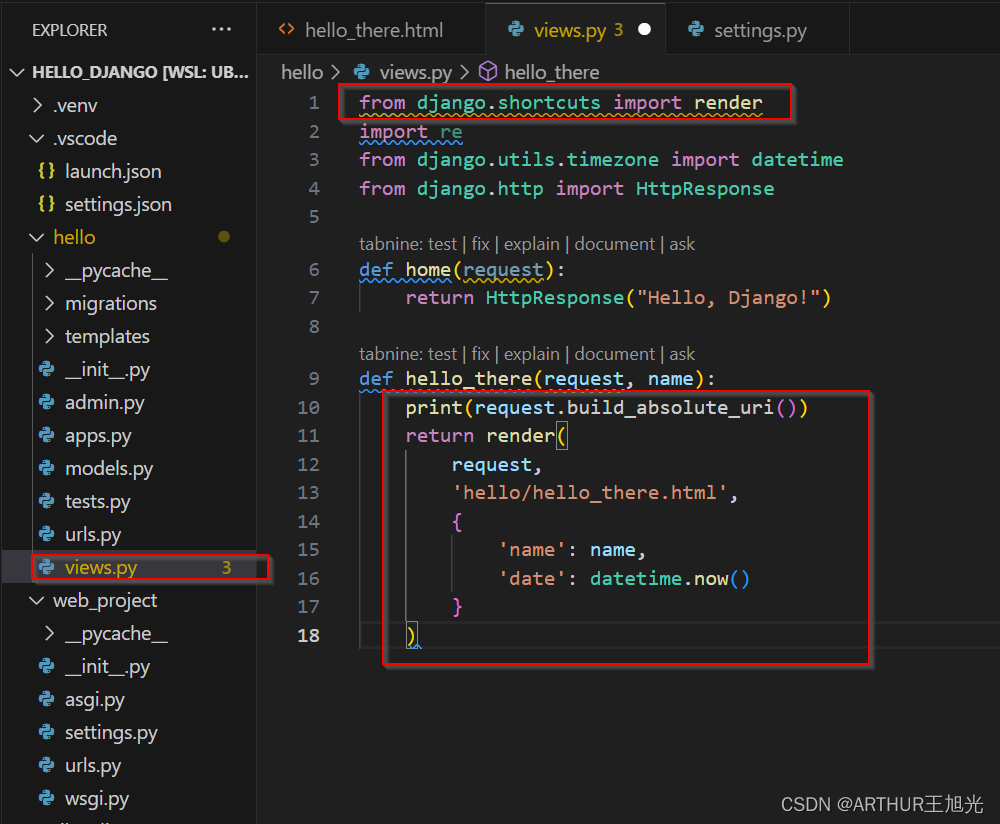
引入render,更改hello_there子程序的内容。
运行结果:

关于静态文件 CSS文件
准备环境
修改web_project中urls.py文件。
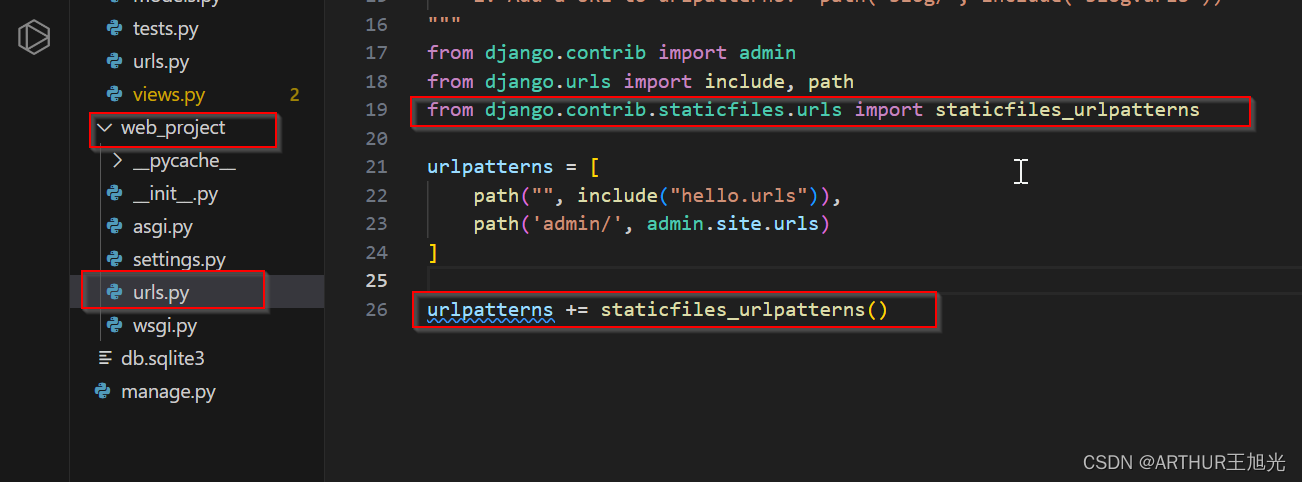
模板中引用静态文件 ref to static files in template
1, hello 目录(相当于hello app)中创建 static的目录
2,static目录中创建hello子目录(与app名字相同)
3,在static\hello中创建文件: site.css
内容如下:

4, 修改hello_there.html文件 titile中增加 load static声明
5,修改hello_there.html文件body 部分
修改如下:

运行结果:

增加字体颜色渲染。
收集项目相关的所有CSS文件
1,web_project中settings.py文件 增加一行定义收集CSS文件的位置。区分大小写。
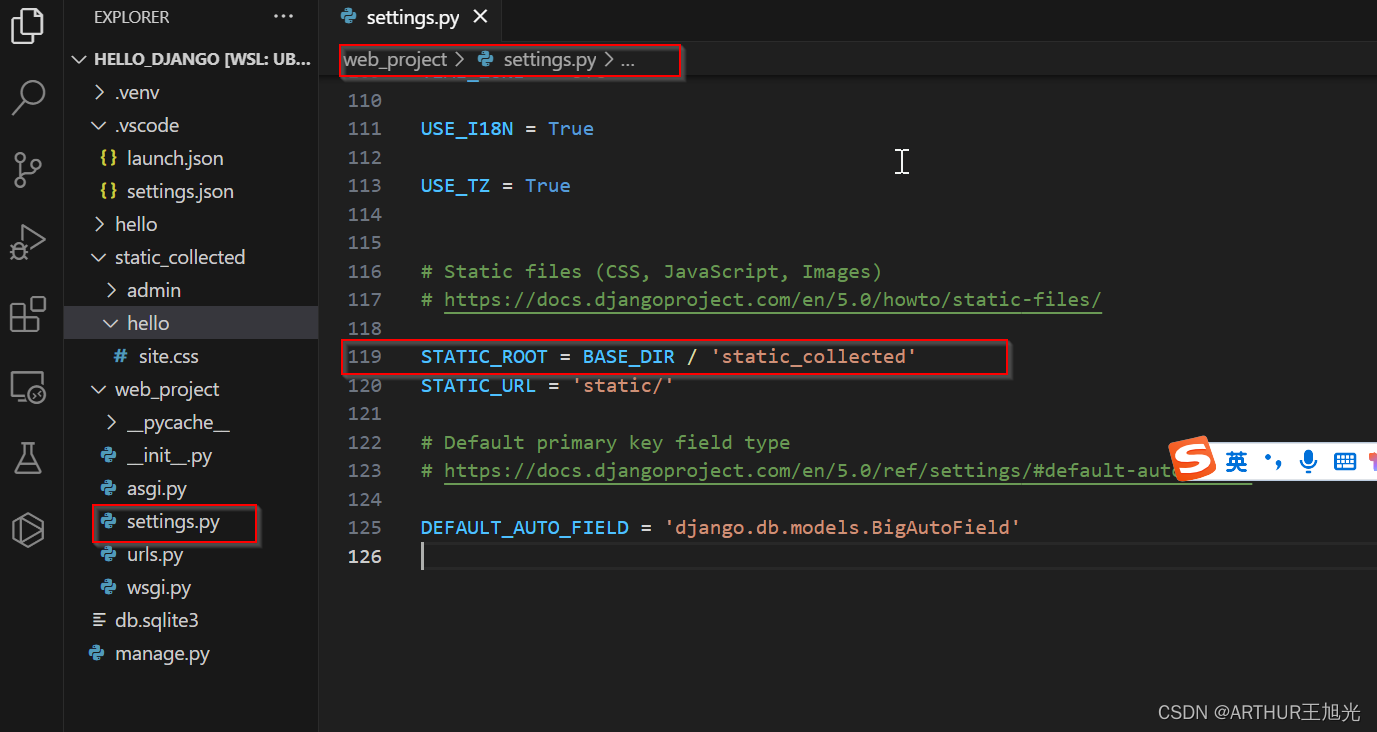
2,运行terminal命令

目录如下:


、MyBatis)
)
函数将移动端和pc端分开)
)


)


)


