文字的水平垂直居中
class="content"> <p>文字水平垂直居中p> </div>.content{ width: 400px; height: 100px; border: #000000 solid 1px;}当前效果:
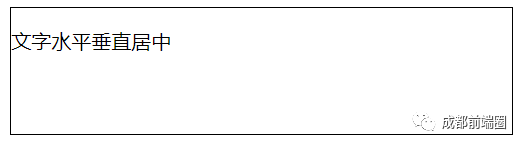
.content{ width: 400px; height: 100px; border: #000000 solid 1px; text-align: center; line-height: 100px;}文字水平垂直居中效果:
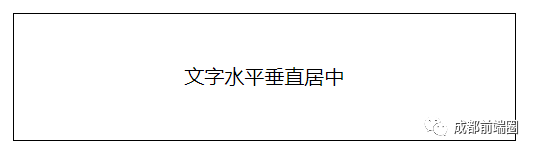
元素的水平垂直居中
class="content"> <div class="box">盒子居中div></div>.content{ margin: 20px auto; width: 300px; height: 300px; border: #000000 solid 1px; } .box{ width: 120px; height: 120px; line-height: 120px; text-align: center; background: red; }当前效果:

01使用绝对定位.content{ position: relative; margin: 20px auto; width: 300px; height: 300px; border: #000000 solid 1px;}.box{ position: absolute; top:0; left: 0; bottom: 0; right: 0; width: 120px; height: 120px; line-height: 120px; margin: auto; text-align: center; background: red;}居中效果:
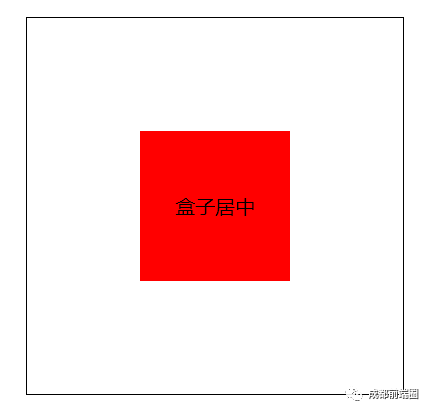
02使用绝对定位+calc().box{ position: absolute; top:calc(50% - 120px / 2); left: calc(50% - 120px / 2); width: 120px; height: 120px; line-height: 120px; text-align: center; background: red;}居中效果:
03使用绝对定位+transform().box{ position: absolute; top: 50%; left: 50%; transform: translate(-50%, -50%); width: 120px; height: 120px; line-height: 120px; text-align: center; background: red;}居中效果:
04使用CSS3弹性盒模型/*作用于父元素*/.content{ display: flex;/*弹性布局*/ justify-content: center;/*水平居中*/ align-items: center;/*垂直居中*/ position: relative; margin: 20px auto; width: 300px; height: 300px; border: #000000 solid 1px;}.box{ width: 120px; height: 120px; line-height: 120px; text-align: center; background: red;}居中效果:
扫码关注 青春正当时




)


