1、首先在/kernel/drivers下建立驱动文件;以建立hello文件为例
2、在hello文件下创建.c/Makefile/Kconfig三个文件
3、.c文件存放驱动程序;Makefile存放编译的方法;Kconfig存放编译的配置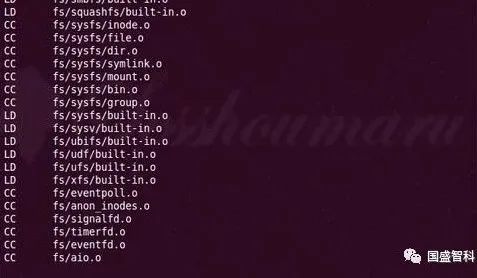
4、Makefile格式例如:“ obj-$(CONFIG_HELLO) +=hello.o”,其中CONFIG_HELLO要和Kconfig中的名字“config HELLO”一致,根据条件编译选项的值,来确定驱动源编码如何编译,用来管理源码的编译。
5、Kconfig格式例如:
menu "HELLO DERVIERS" //在make menuconfig视图中显示的图标
config HELLO
tristate "hello driver "
default y // y编译进内核;m将驱动编译成一个ko;n不编译改驱动
depends on RK3288 // 可略
help
this is a driver for hello.1=GPIO0_A0,hello.2=GPIO0_A1 //可略
endmenu
6、修改/kernel/drivers/Makefile如下:
添加“obj-$(CONFIG_HELLO) +=hello/”
7、修改/kernel/drivers/Kconfig如下:
添加“ source "drivers/hello/Kconfig" ”
8、在/kernel下执行“make menuconfig”,选择"device drivers"找到驱动"hello driver",并在其前选择“ * ”编译进内核,保存退出
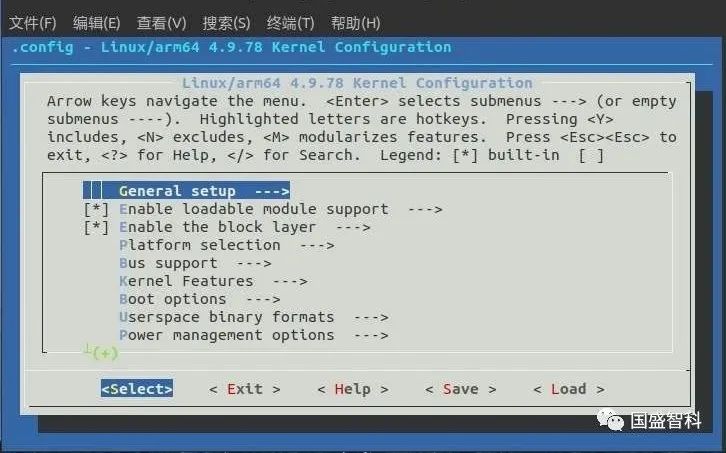
9、开始编译:“make firefly-rk3288.img”
10、将编译出来的kernel.img以及resource.img烧写进开发板
11、编写C代码进行驱动功能验证


)
!)


:模块、与C#互相调用)


![计算字典的个数_[LeetCode] 440. 字典序的第K小数字](http://pic.xiahunao.cn/计算字典的个数_[LeetCode] 440. 字典序的第K小数字)


